

MODELPORT LOCALIZATION
We’ve been asked by users from around the world if we could offer ModelPort in their language. So we’re excited to announce the development of localized versions. If you would like stay informed on release dates enter your email below.
- Supported : English
- In development : French, German, Hungarian, Italian, Japanese, Portuguese and Spanish

“When importing a lot of 3D objects Archicad files can get bloated. ModelPort gives us the ability to reduce file size and improve our workflow.”
– CJ Canales, Director of Architecture, The Up Studio
Review imports up to 90% faster
To review an imported model using Archicad’s default process you must convert it to an object, place it on the floor plan and then view it in the 3D Window. In ModelPort it’s a one step process to preview a model which is considerably faster!
Review import using Archicad
Review import using Archicad with ModelPort
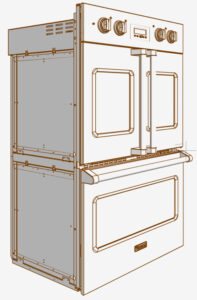
Tested with a 149.8 mb VGR548 gas range SKP model from Viking with 795,228 polygons.

Increase performance of Archicad
If your Archicad project feels sluggish, especially in 3D, it may be due to a high number of polygons. With ModelPort you can control the number of polygons to improve model performance.
Reduce file size of 3D imports
If your project file is getting large it’s often due to the size of imported objects. The ModelPort Save Mode offers a more efficient way to store model information that can dramatically reduce file size up to 80% less.
Import converted to Archicad object
Import converted to Archicad object using ModelPort
Choose from flexible licensing
In today’s hybrid work environment it’s important to offer flexibility as people work from home, office and project site locations. With ModelPort you choose from 3 license options:
- Standard License : For an individual on one computer
- Switch License : Shared between home and office
- Floating License : Offers greatest flexibility for teams