MODELPORT 5.0 NEW FEATURES
Review | Edit | Optimize | Import | Manage | Iterate

““When we import a lot of 3D objects our Archicad files can get bloated. ModelPort gives us the ability to manage polygons and file size which improves our workflow.”
– CJ Canales, Director of Architecture, The Up Studio
DESIGN ITERATION
Improved editing of imported & AI generated models

Mesh Modifier Stack
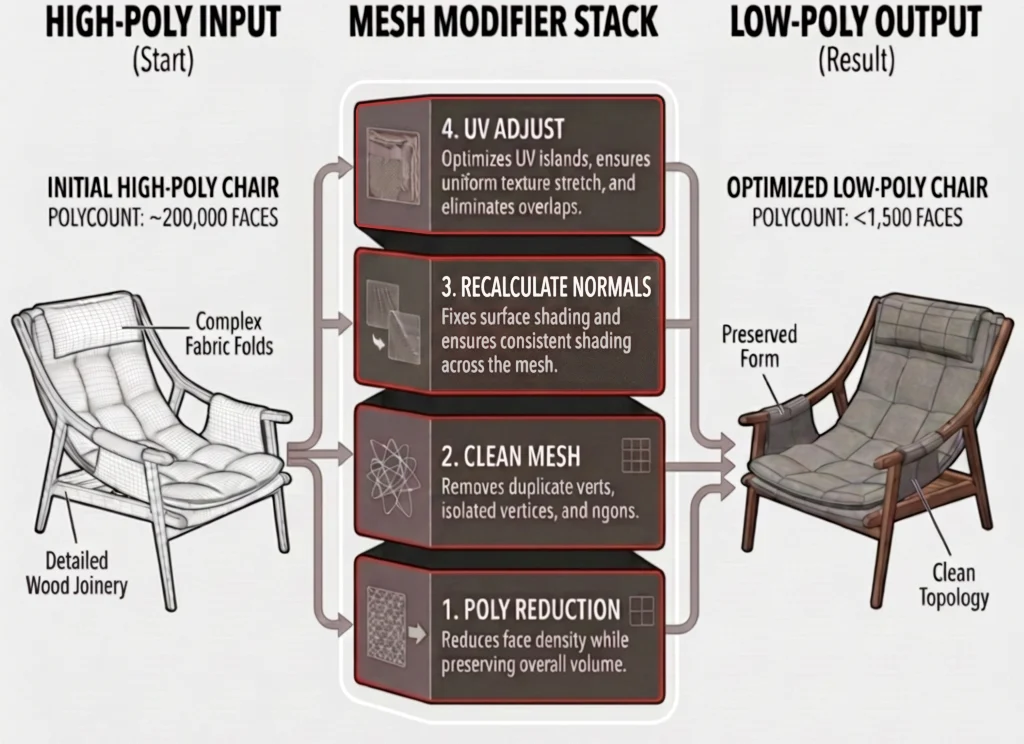 Unlock the power of limitless 3D iteration with the Mesh Modifier Stack that lets you stack, reorder, and tweak complex edits while keeping your original base model completely intact.
The order of the stack is also important because it evaluates modifiers sequentially from bottom to top where each step transforms the results passed up from the previous step.
Benefits for Editing
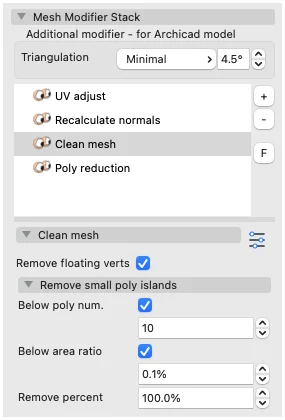 Non-Destructive Workflow: Your original base mesh and parameters stay intact. You can turn any modifier on or off with an eye icon, or delete it without ruining your core model.
- Easy Editing & Reordering: You can drag modifiers up or down in the stack to change the order of operations.
- Chaining Effects Together: You can combine multiple modifiers—such as adding a Cut to define the content displayed, Poly reduction to decrease the triangle count and Clean Mesh to smooth the geometry.
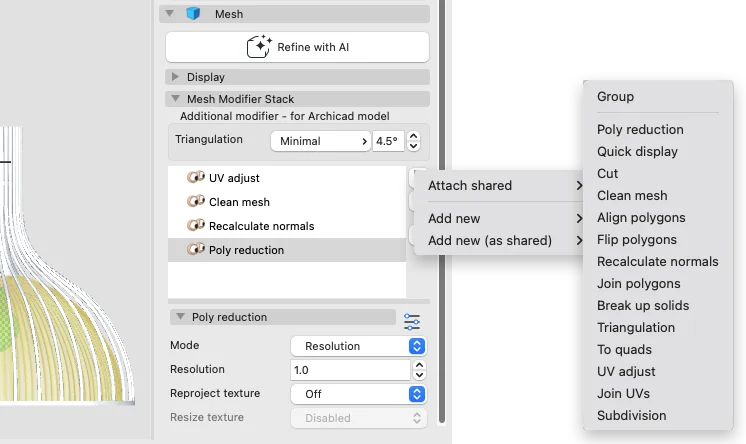 Selecting Modifiers
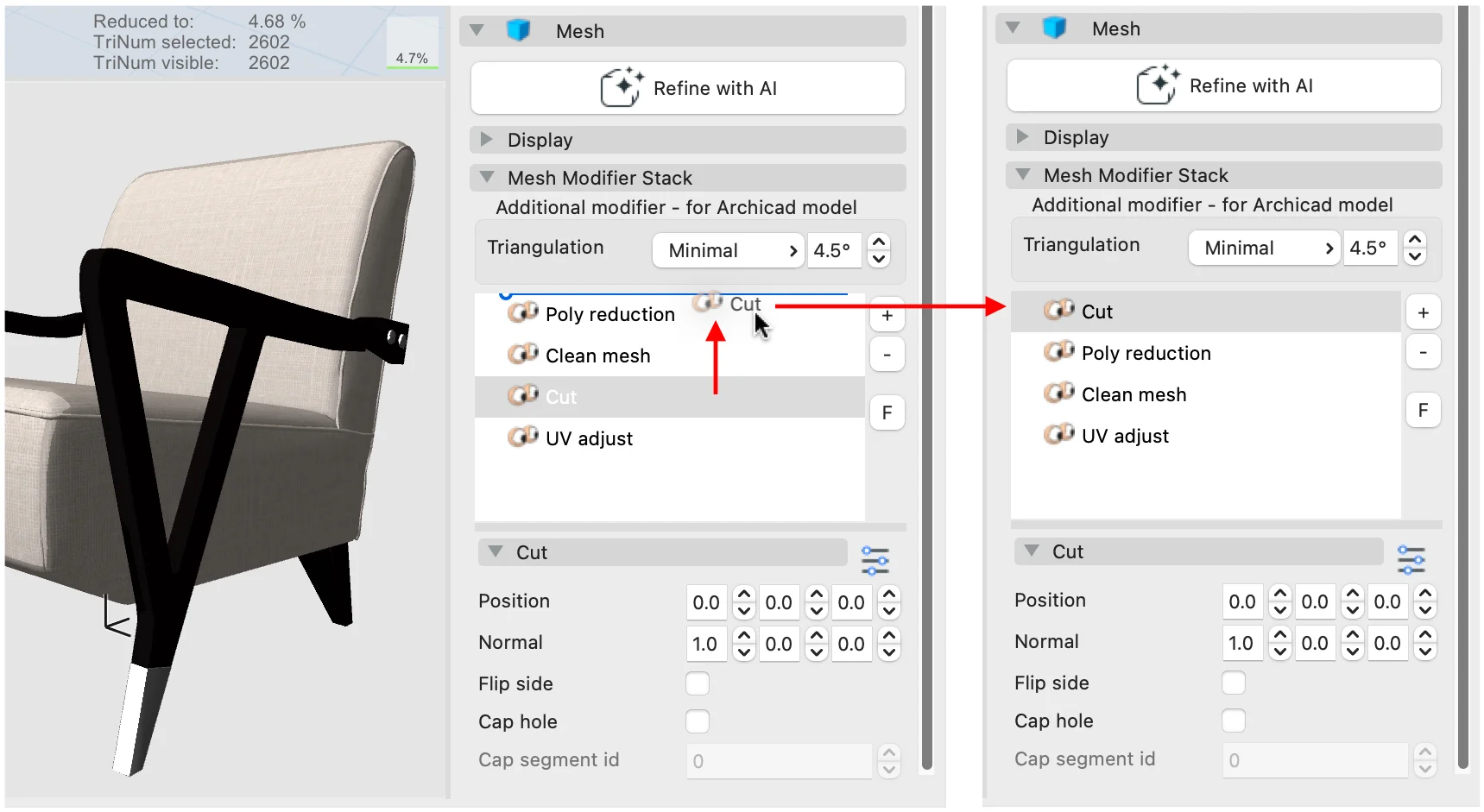 Set Order
Reordering modifier in the Mesh Modifier Stack controls how procedural operations accumulate sequentially, dictating the final look, geometry, and performance of a 3D model without altering your original base mesh. The order of the stack evaluates modifiers sequentially from bottom to top where each step transforms the results passed up from the previous step.
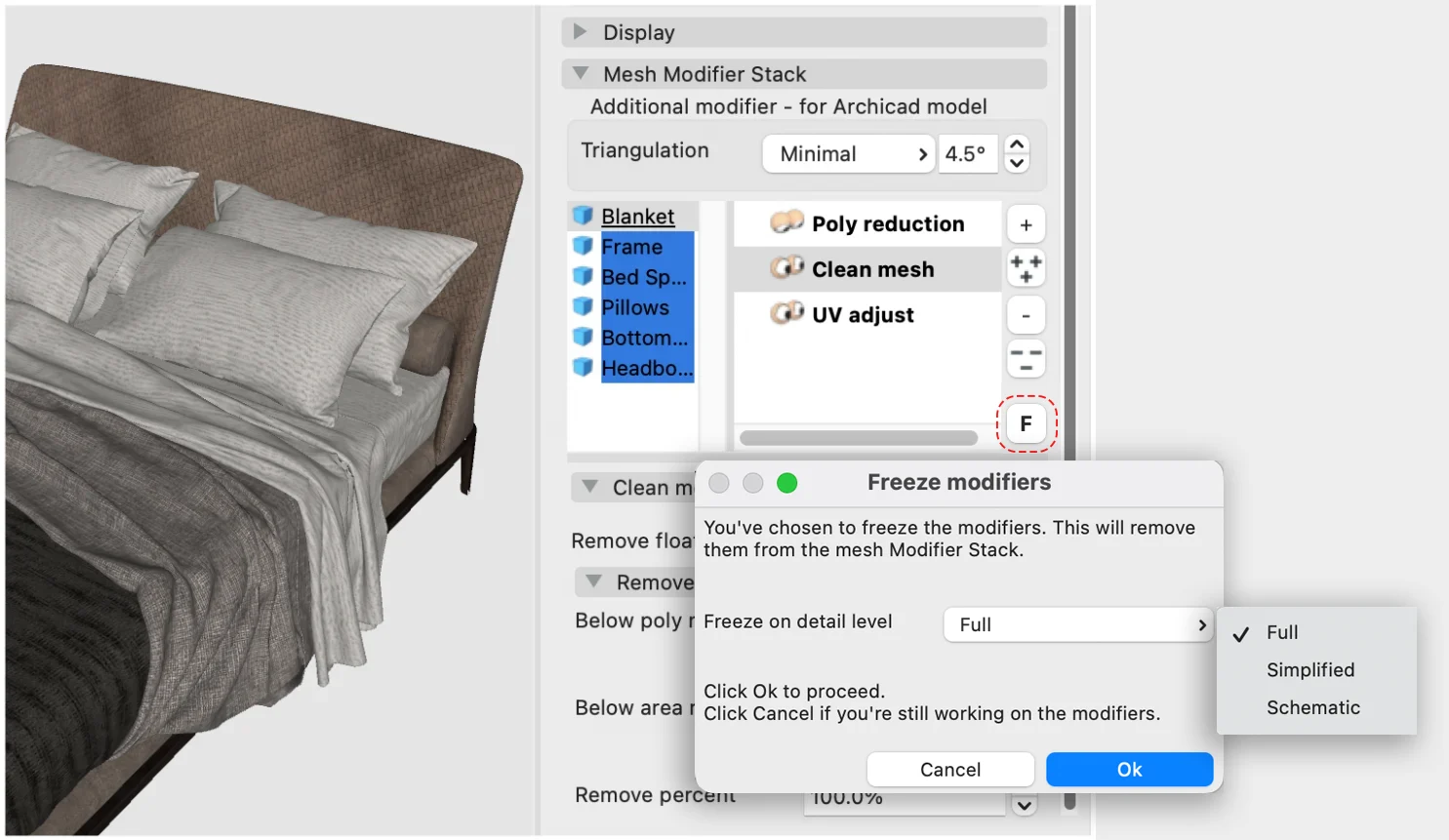 Freeze for Archicad
Until you freeze Modifier functions they act as temporary, live previews. Freezing converts these temporary alterations into permanent data structures that Archicad can efficiently process.
To Freeze click the "F" button and select one of these three detail levels...
- Full
- Simplified
- Schematic
ADVANCED POLYGON REDUCTION
Increased quality when reducing 3D geometry
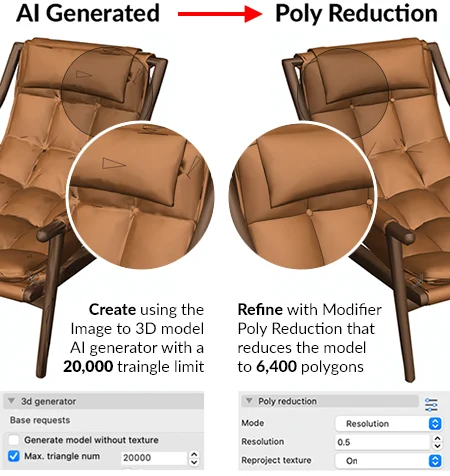 Smart Poly Reduction
In this version we're introducing a new Resolution Mode that reduces meshes according to its complexity. As an example if a polygon mesh is very dense it's reduced it by a large amount and if it's simple a smaller polygon reduction is applied.
Our new Poly Reduction Modifier can also clean up an AI generated model by removing line artifacts, creating smoother meshes and refining the surfaces.
Refine Model
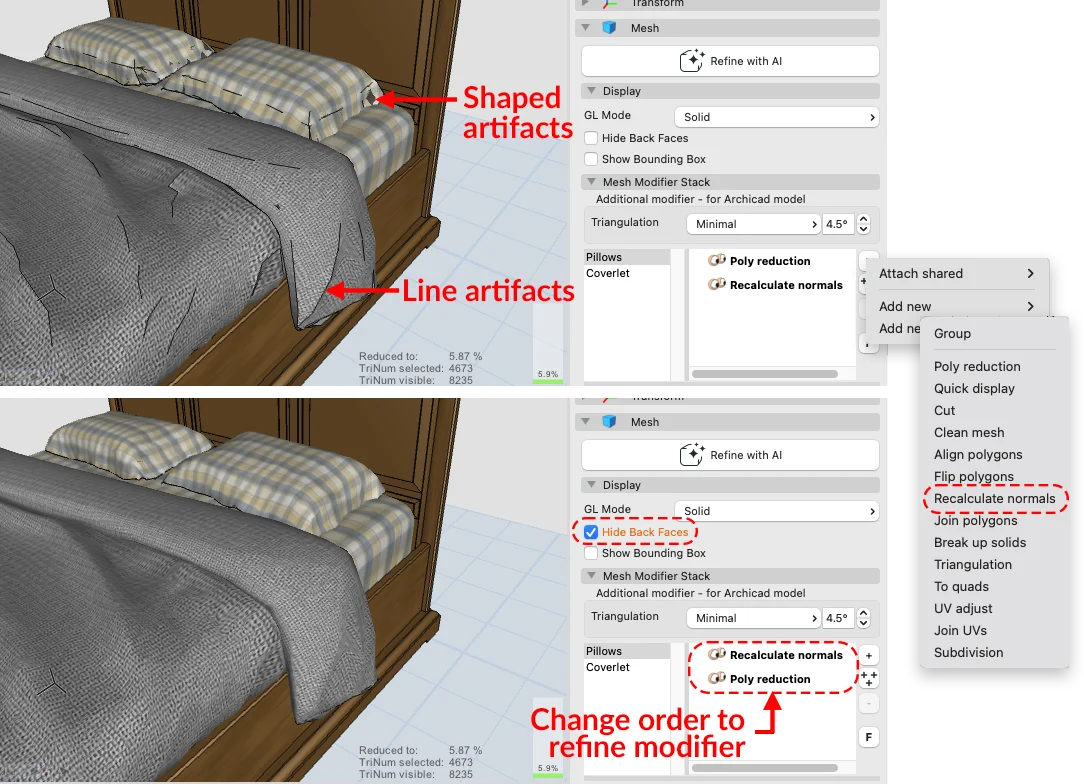 When we dramatically reduce the polygons, such as this model which was decreased 94%, it often results in line and shaped artifacts. To solve this issue follow these steps:
- To remove line artifacts add Recalculate Normals to the Modifier list and move it above Poly Reduction.
- Check Hide Black Faces to get rid of shaped artifacts in the model.
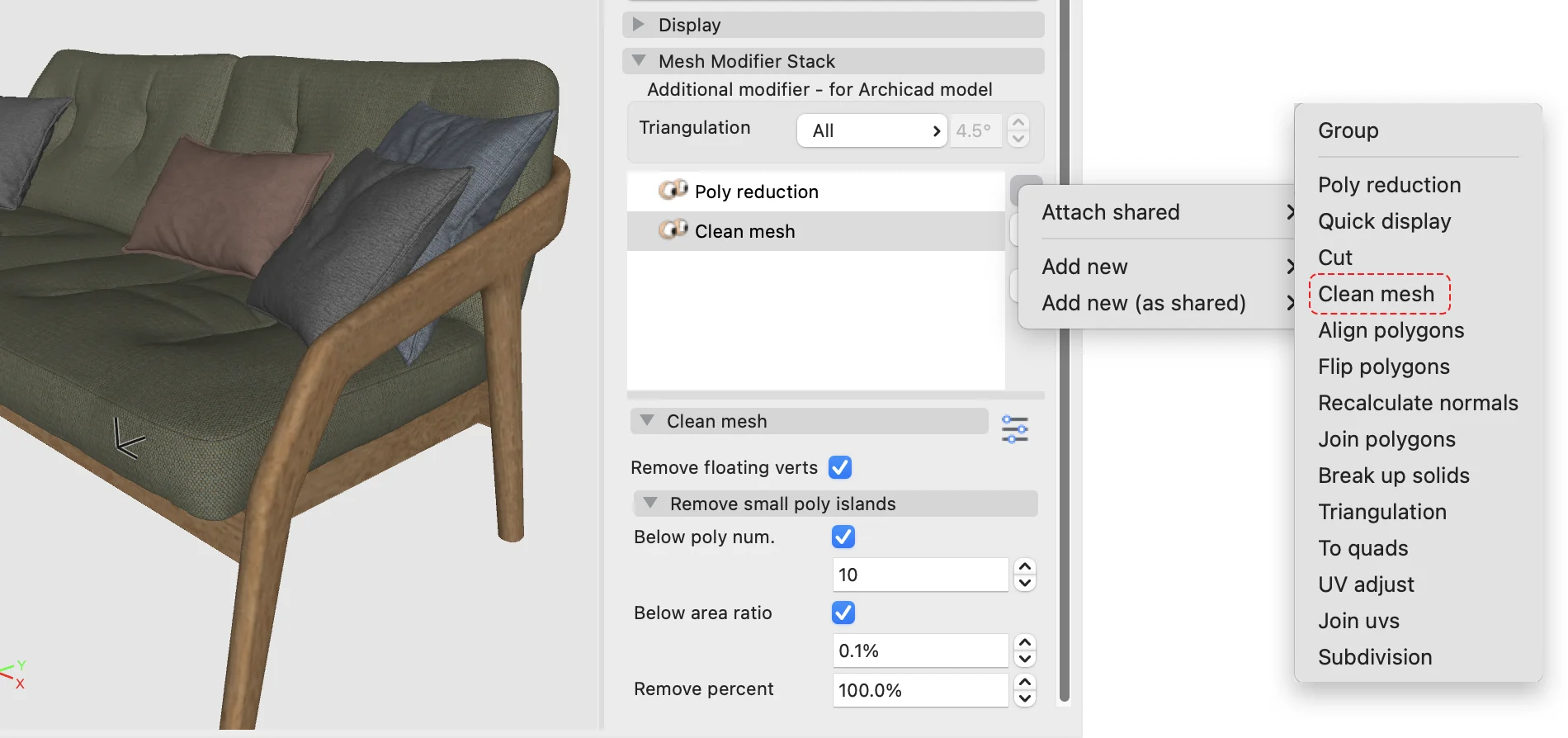 Clean Mesh
Helps smooth the model and further reduce polygons by removing unused vertices or smaller poly islands from the mesh.
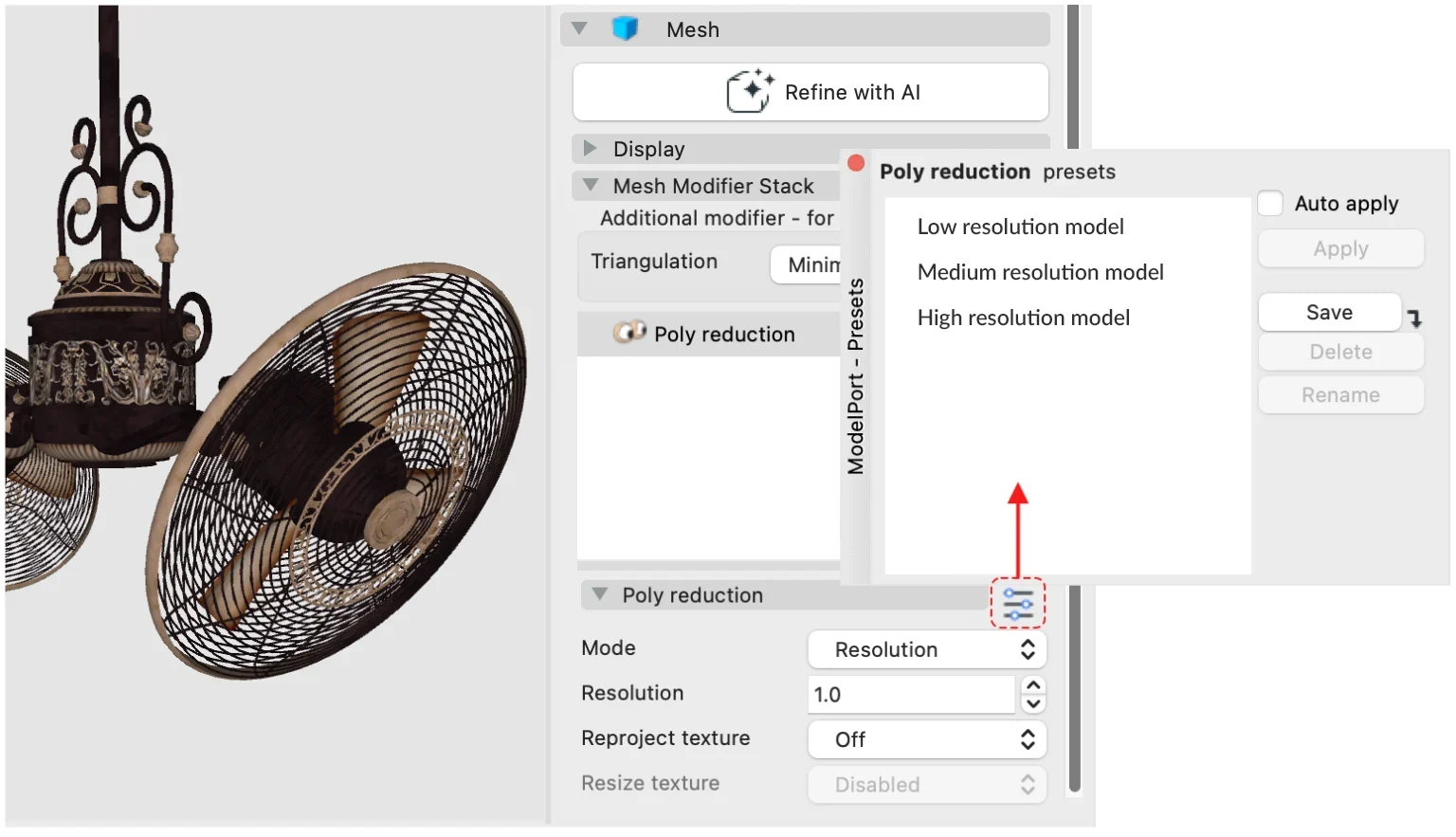 Presets
Modifiers can store presets making it easier to manage favorite configurations and default values, eliminating repetitive workflows and accelerating studio production.
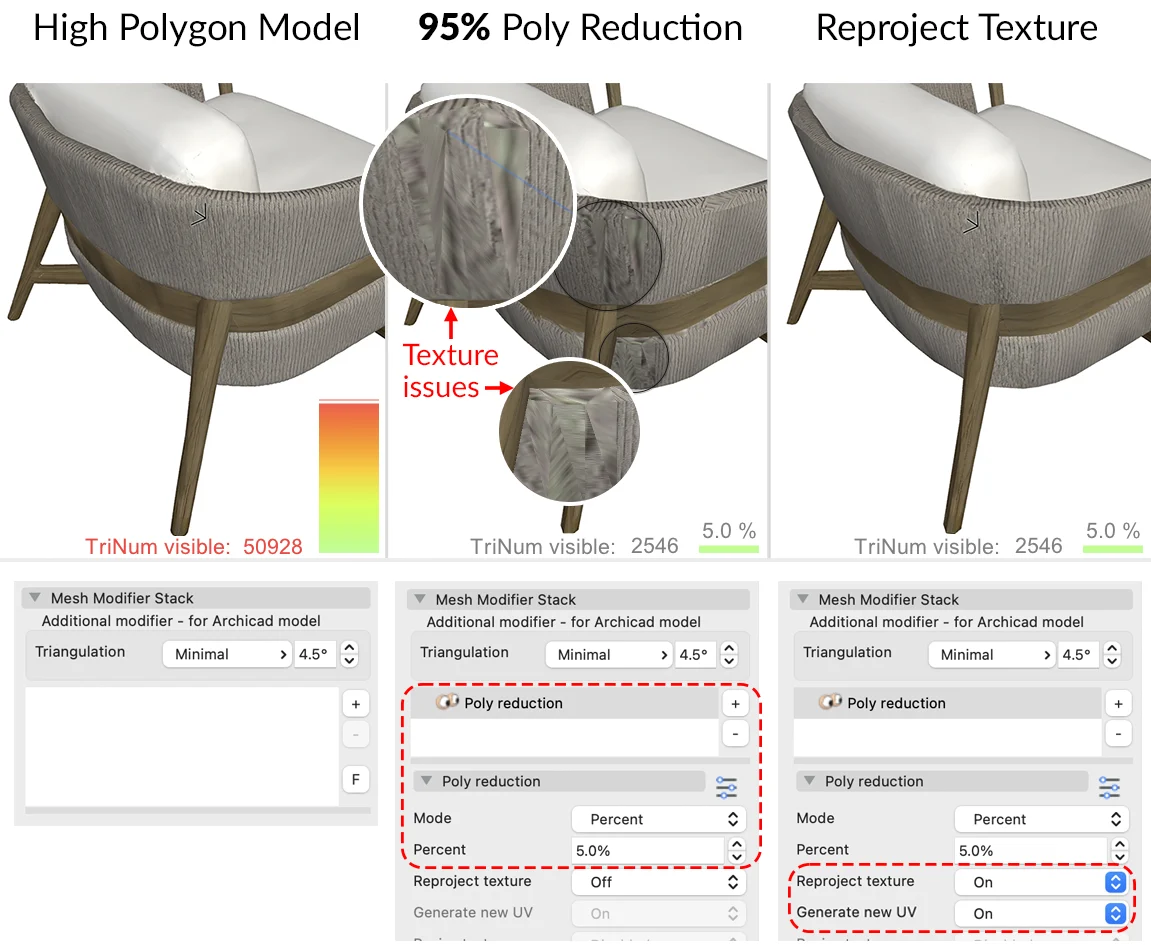 Reproject Texture
When reducing polygons of an imported or AI generated model it can also reduce the texture quality. To solve this problem turn ON the Reproject Texture and Generate New UV options.
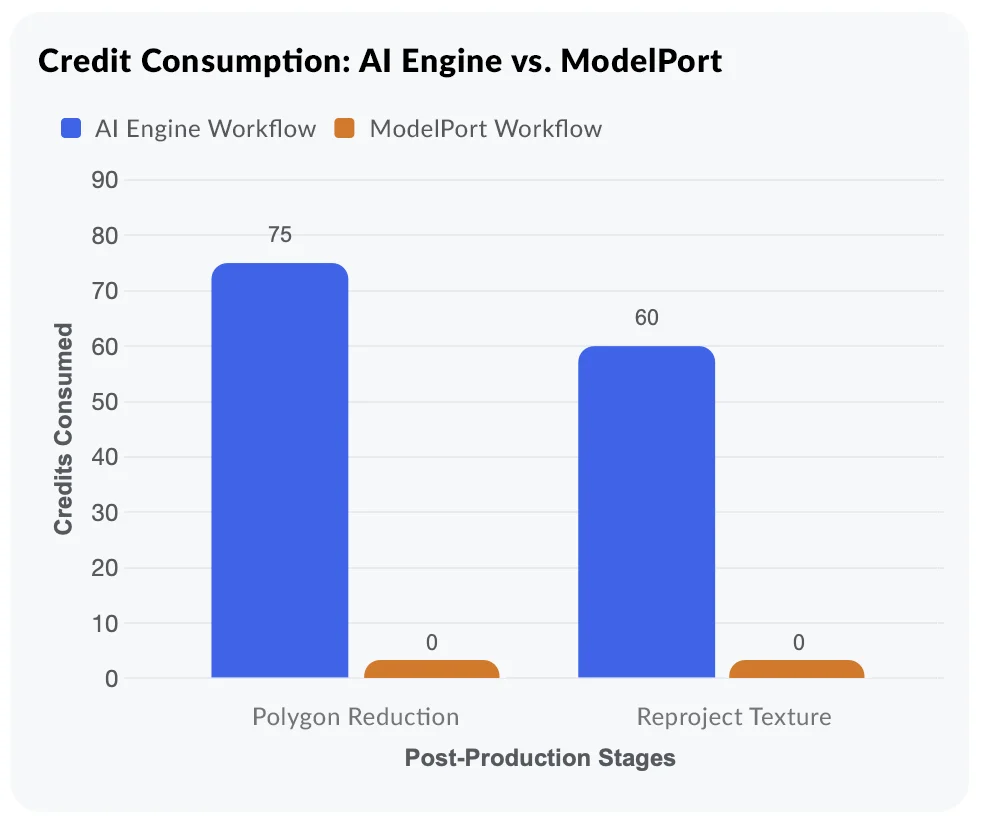 Reduce AI Credit Cost
Using ModelPort's Mesh Modifier Stack is the ultimate cost-saving workflow for offices using generative AI, drastically cutting credits consumed during polygon reduction, re-texturing and asset refinement.
REFINE GRAPHICS
Customize the 2D symbol & 3D model
Floor Generator
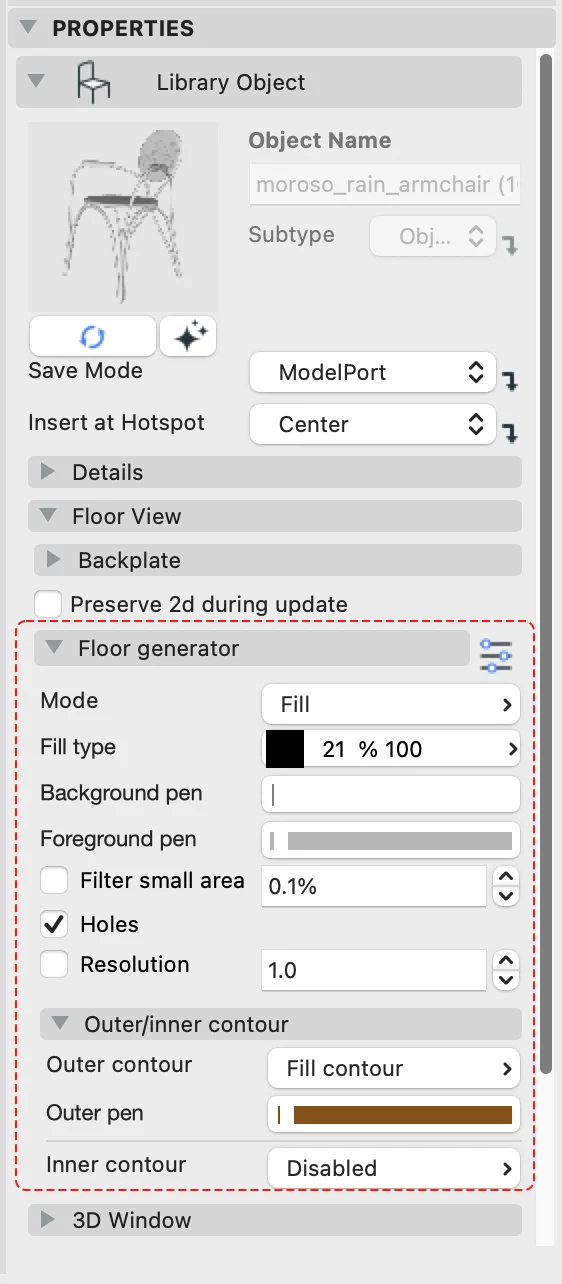
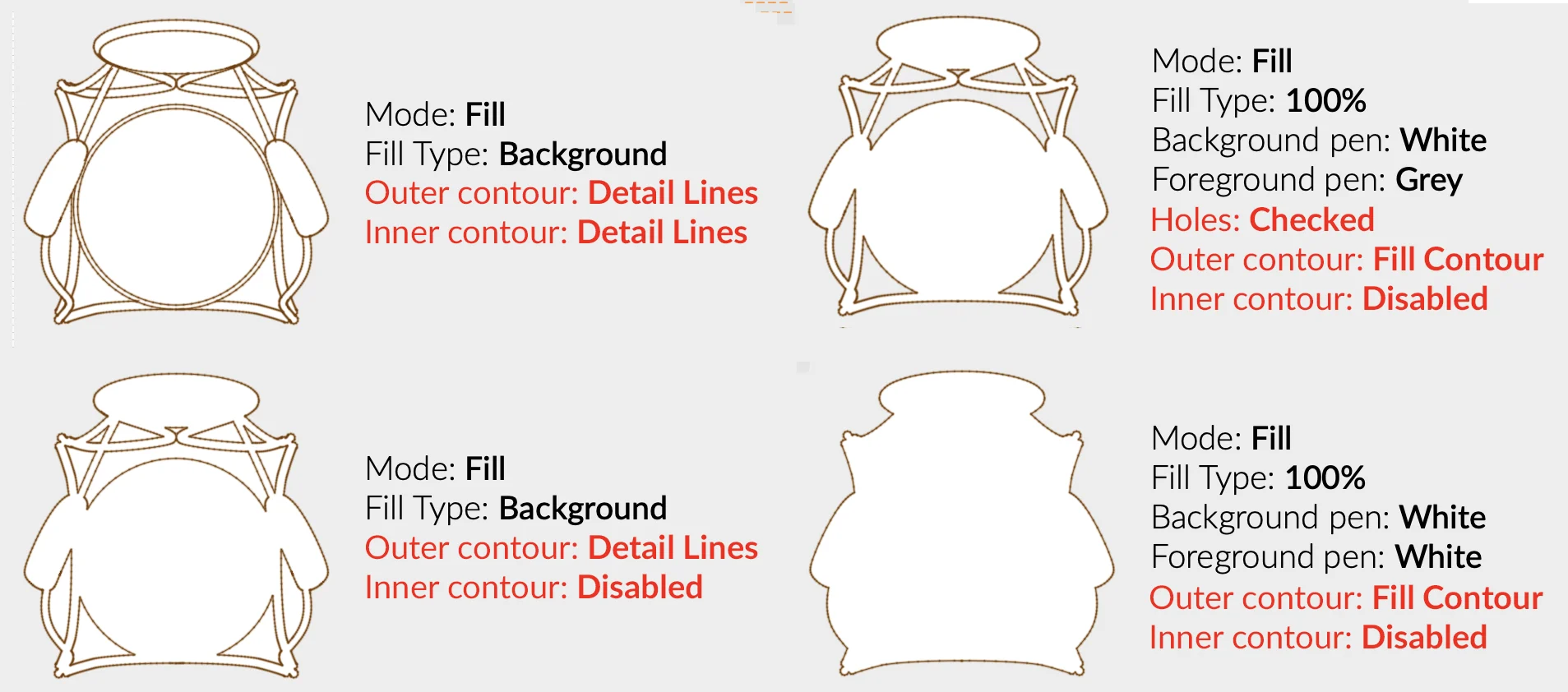
This version introduces the Floor Generator which expands options for generating 2D symbols using Lines and Fills, supports transparent backgrounds and can be controlled by Graphic Overrides. Below are 2D symbol variations created with these options.
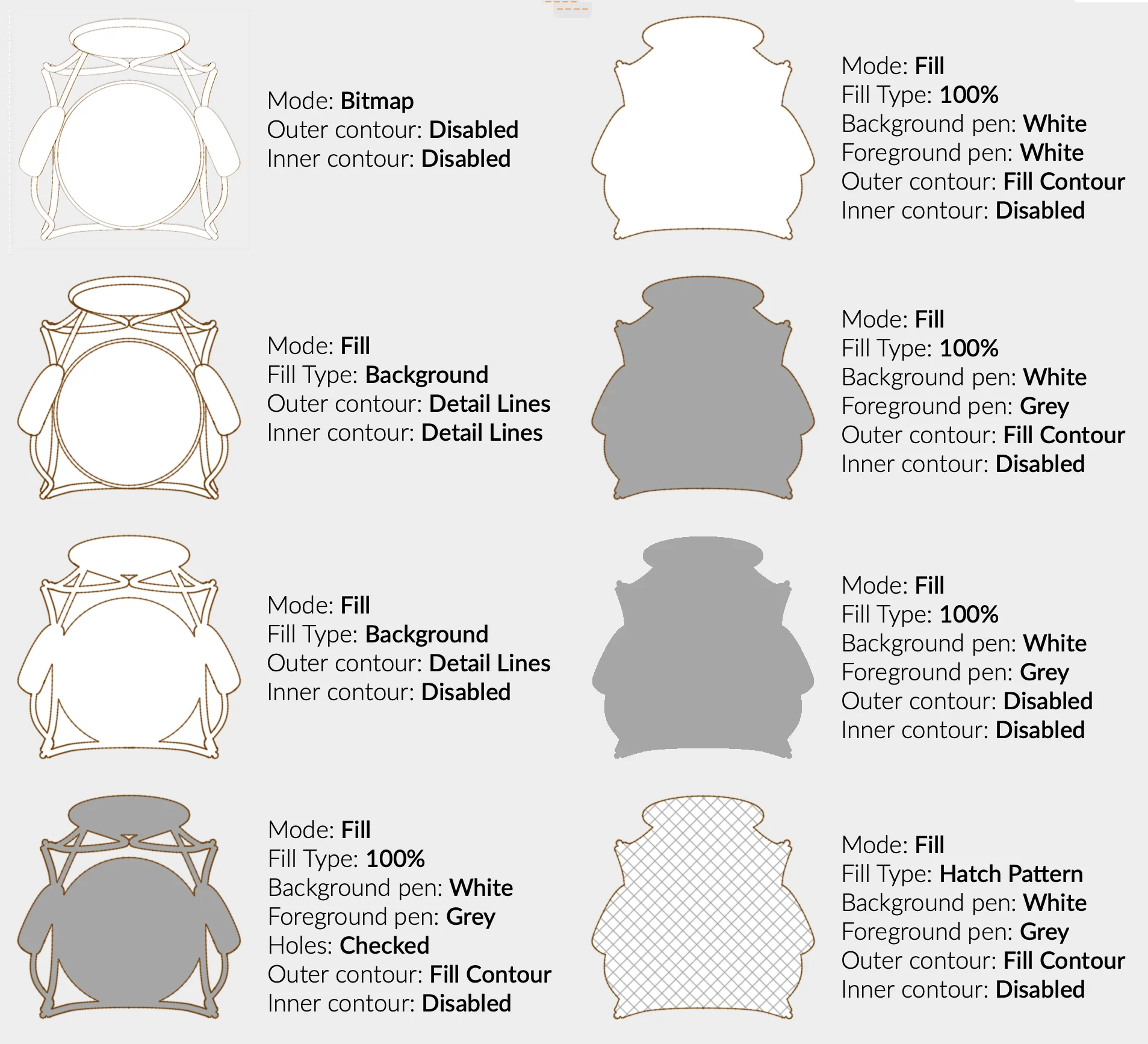
Adjust Symbol
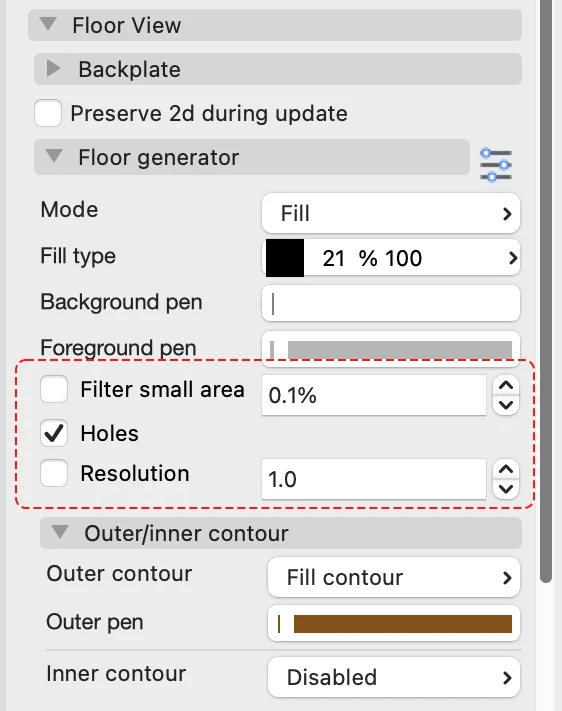
To further refine the 2D symbol using the Floor Generator adjust these three parameters: Filter Small Area, Holes and Resolution.
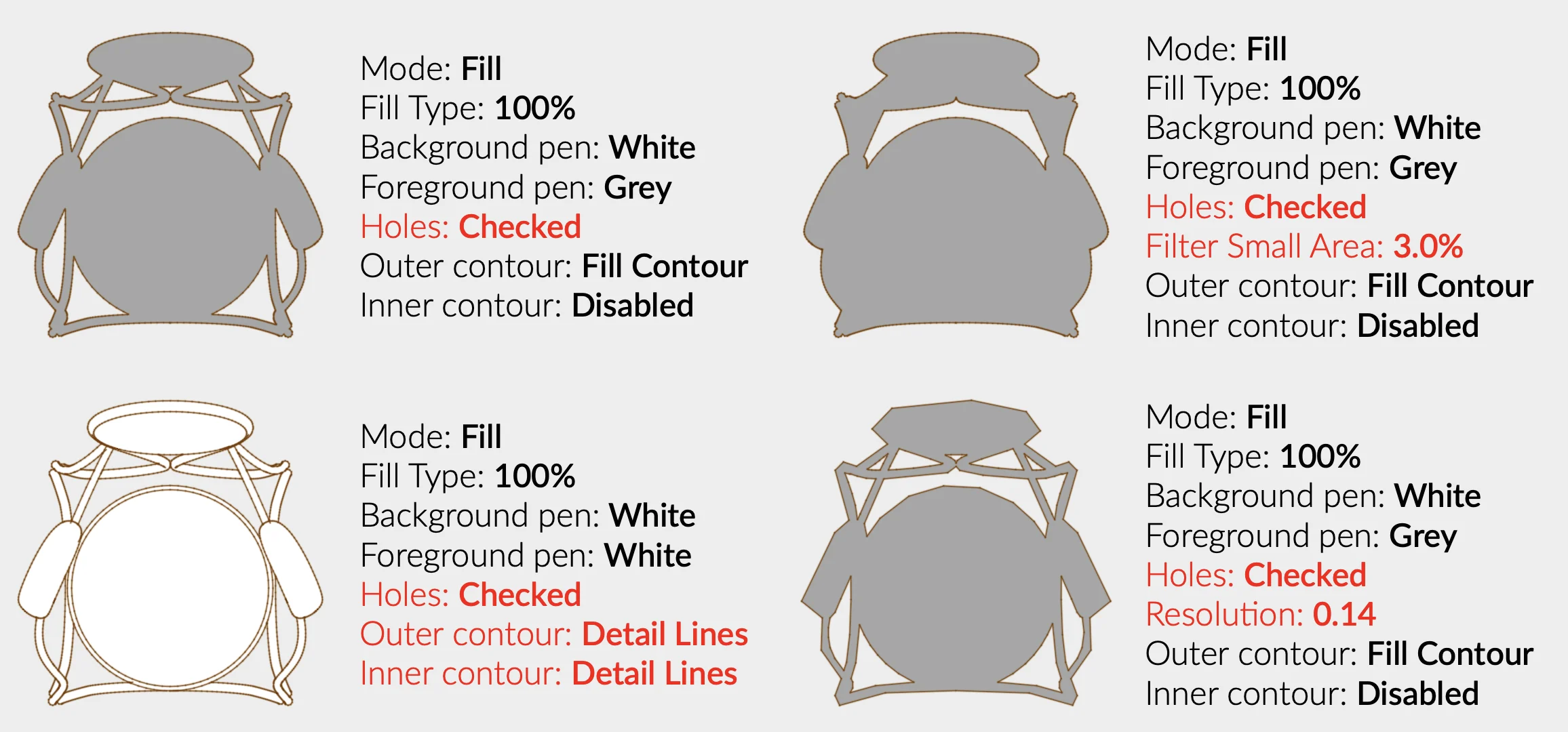
Inner / Outer Contour
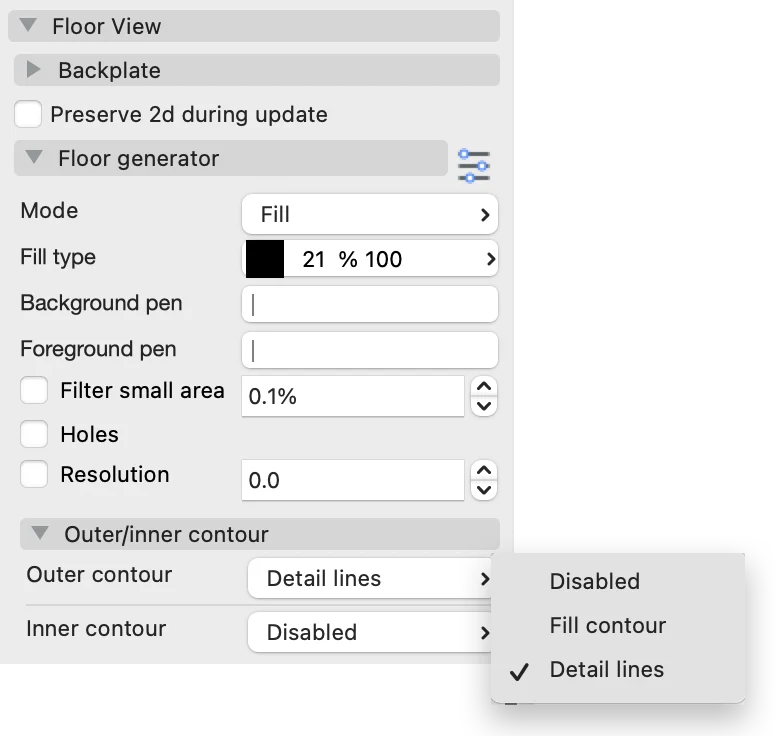 If you would like to simplify the 2D Symbol you can activate the Inner and Outer Contours as well as adjust the Outer Contour pen color.
Graphic Override
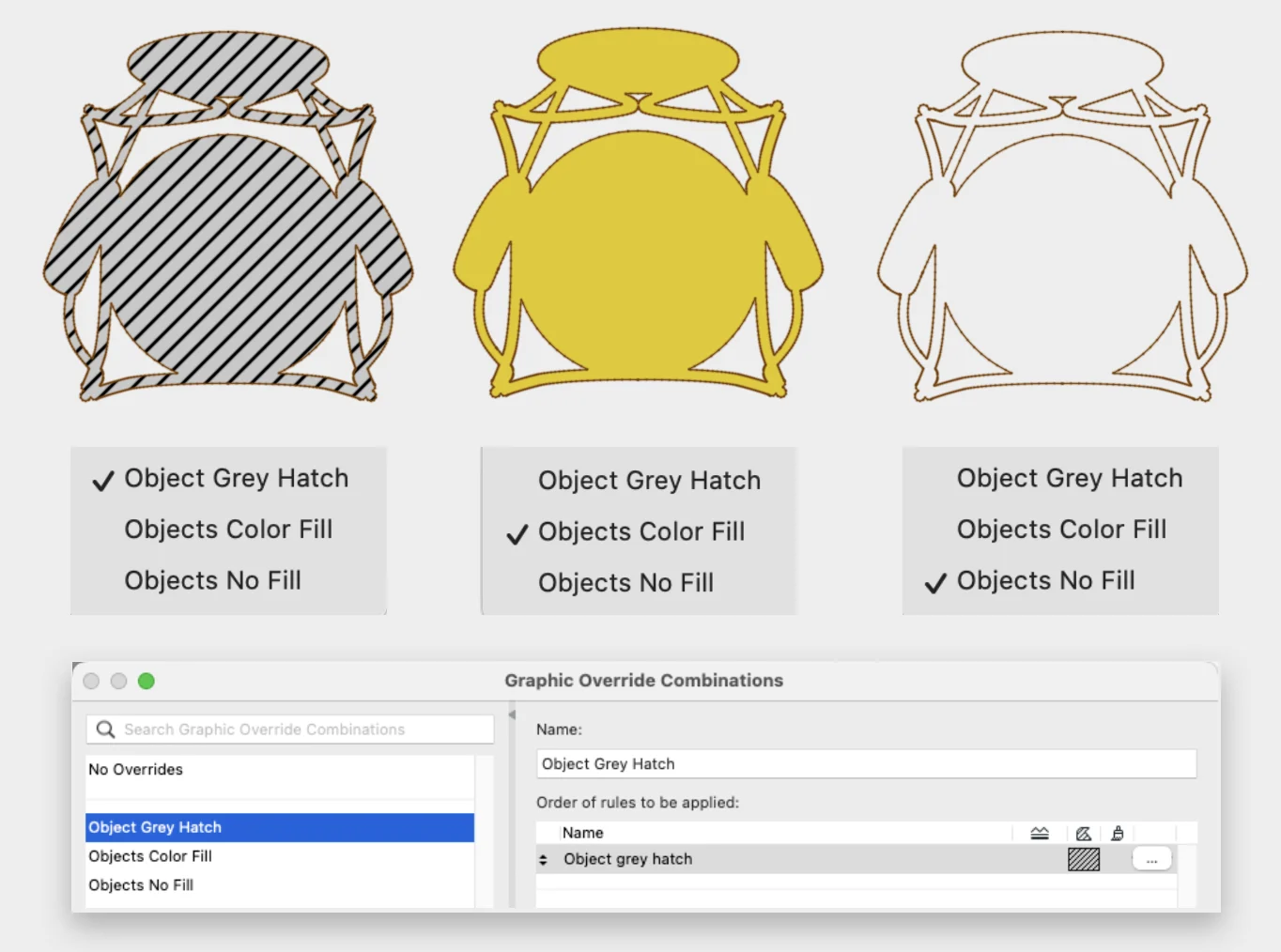 With the introduction of Vector Lines and Fills it's now possible to apply Graphic Overrides to 2D symbols of imported and AI generated content.
Model Cut
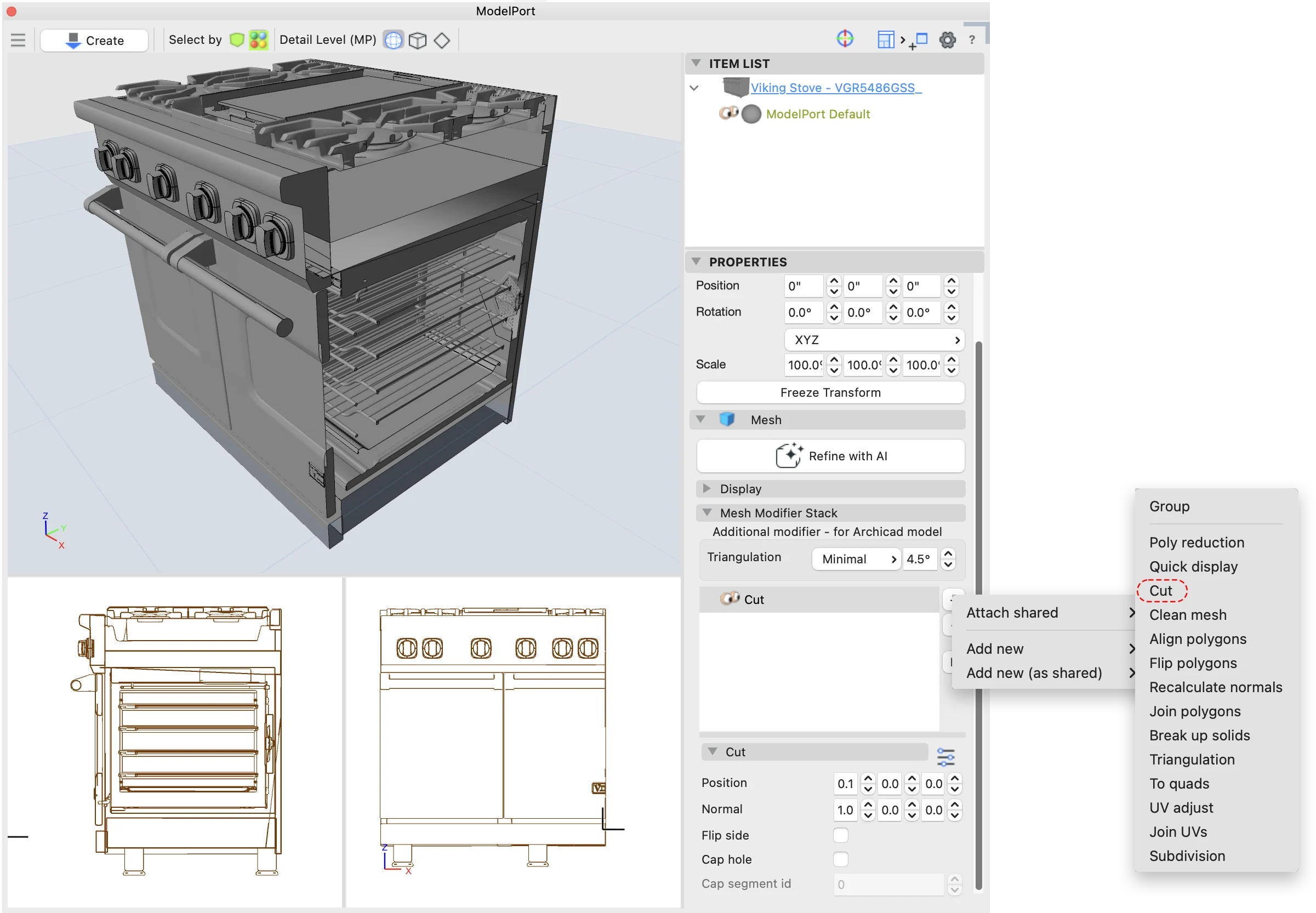 This new modifier allows you to apply a cutting plane to an imported model, allowing you to control the content that's visible of an imported or AI generated model.
Floor Presets
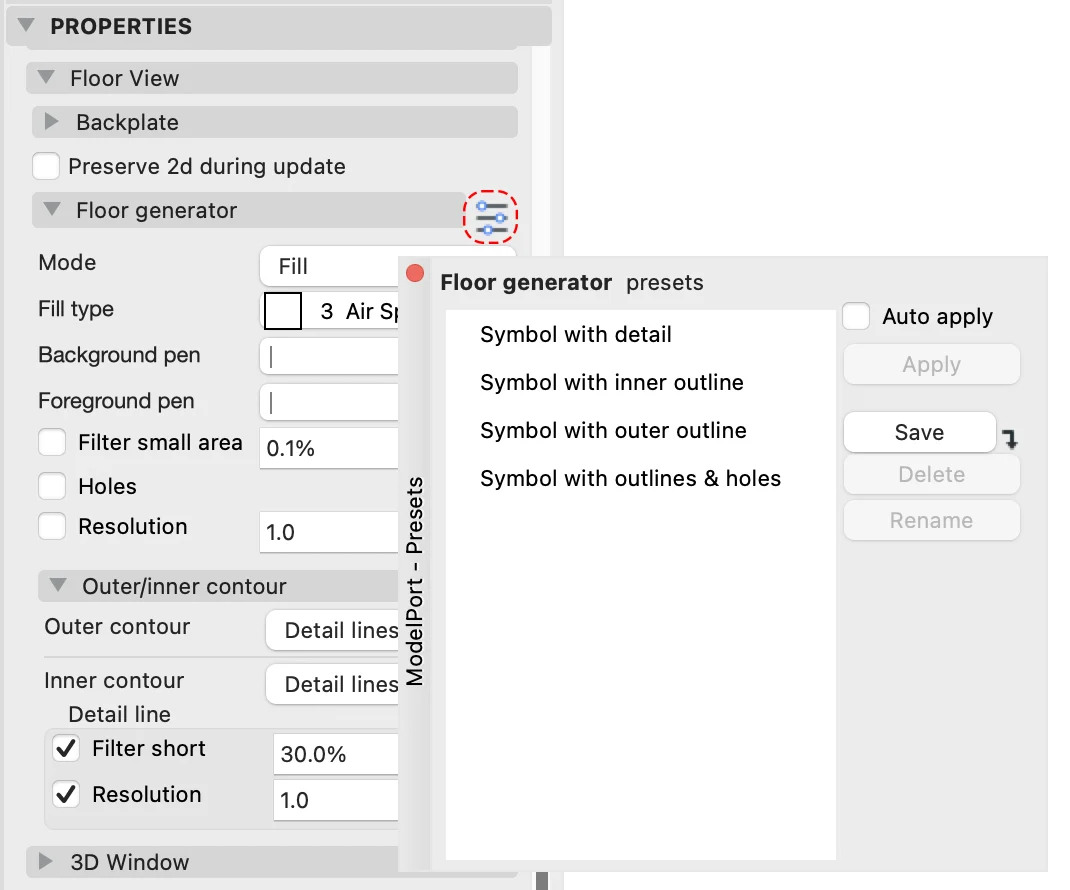 Use presets in the Floor View Generator making it easier to manage preferred configurations and default values for 2D symbols.
AI UPDATE
AI Generator Redesign & Update to Meshy 7
New AI Engines
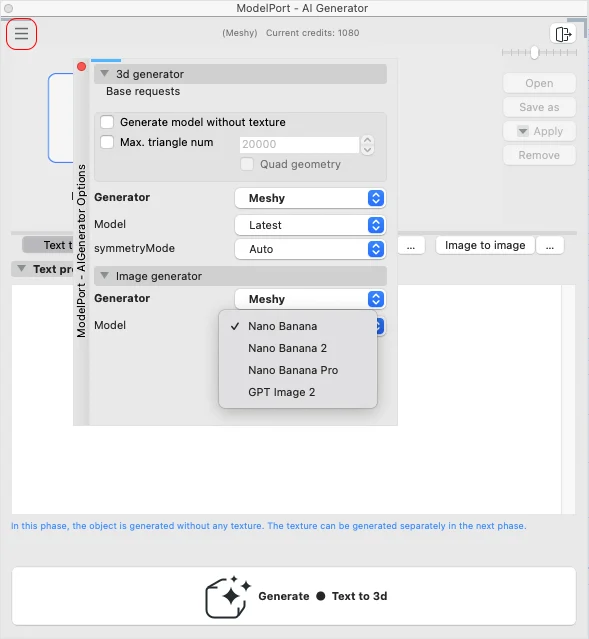 This new version includes an update to Meshy and introduces new AI engines for image rendering generation.
- AI 3D Model Generation
- Meshy 7 Support : The new Meshy version introduces a major focus on 3D geometry alignment, making sure generated 3D assets match the proportions, structure, and details of input images much more faithfully than previous versions.
- AI Image Generation
- Nano Banana
- Nano Banana 2
- Nano Banana Pro
- GPT IMage 2
AI Generator Redesign
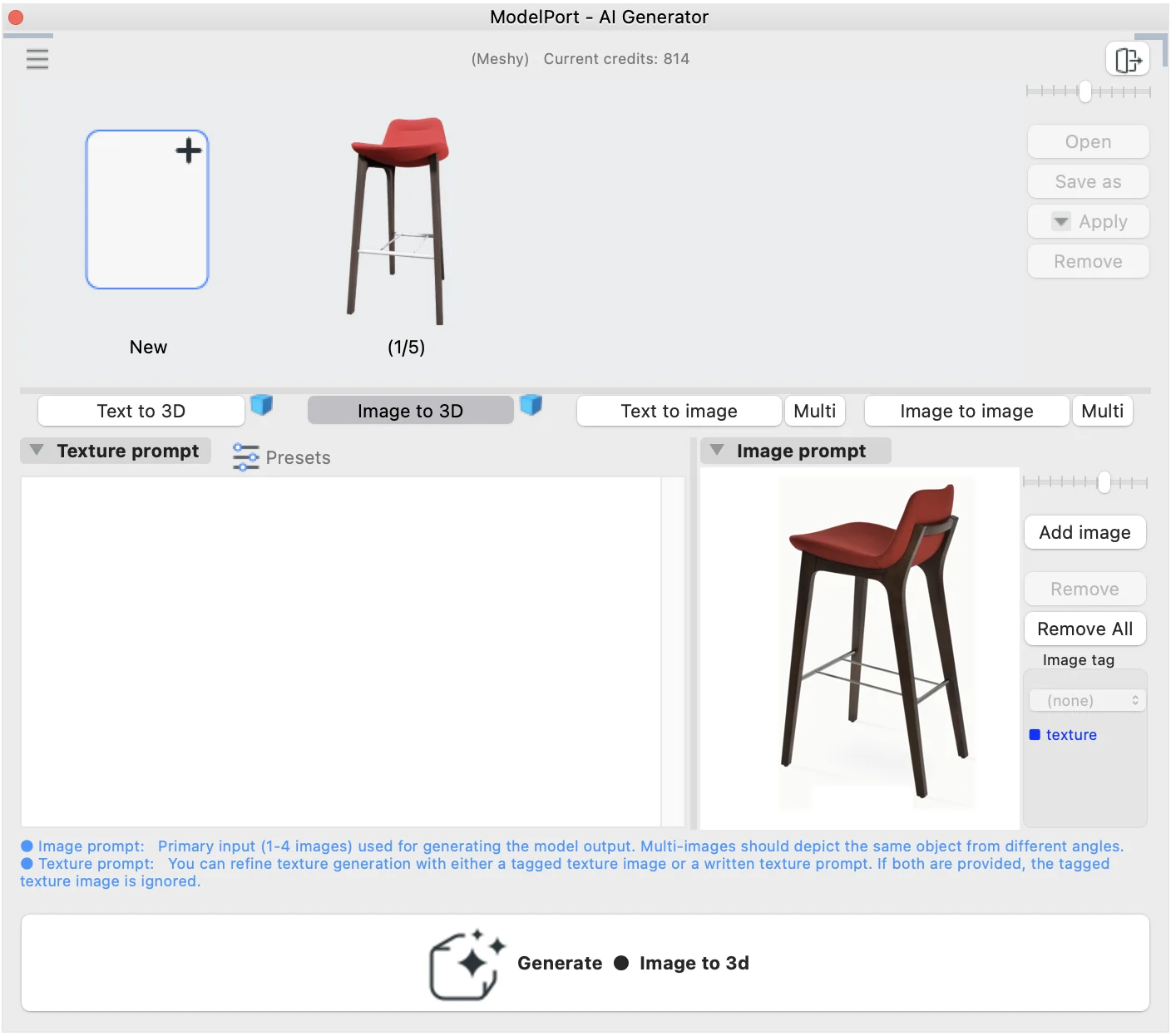 There are new features and improvements to the AI Generator for model and image creation...
- Adjustable splitter control that separates projects thumbnails and prompts.
- Slider control to adjust the size of the Project and Image prompt thumbnails.
- Prev/Next image selector controls for project thumbnails with multi-images.
- Project image or thumbnail to image prompt
- Use the 'Save as' control to save the file generated by the AI to the local disk.
- Improved so that multiple image files can now be added to the Image Prompts at once.
- Screen captures from the ModelPort scene preview, ModelPort 3D views, and the Archicad 3D window can now be added to the Image Prompts.
Send to AI Generator
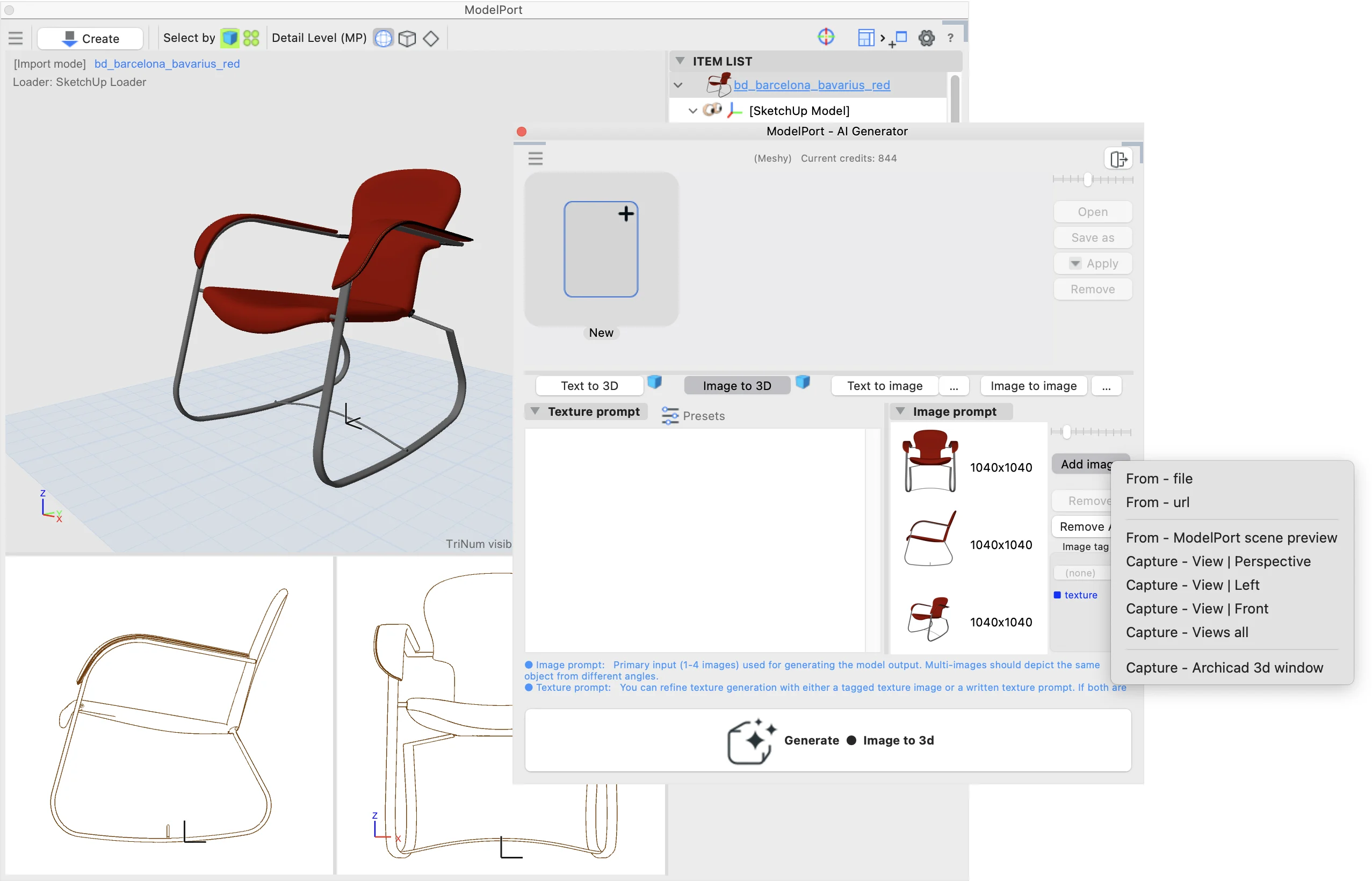 There's a new 3D viewport capture button menu which sends the current view to the AI Generator.
Refine with AI
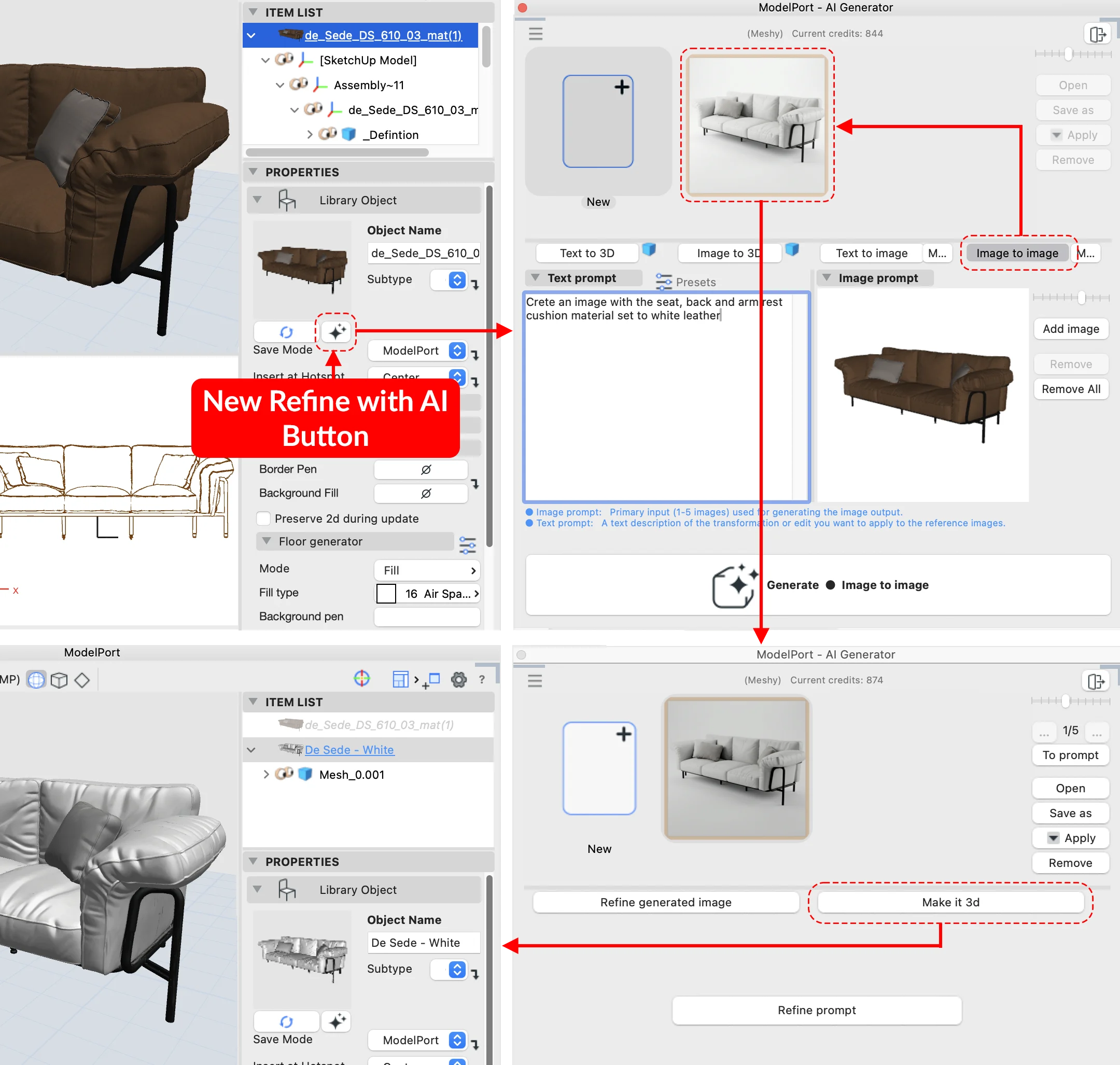 A new Scene preview image button has been added enabling you to use AI to refine an imported model, Archicad object or selected model elements.
Prompts Update
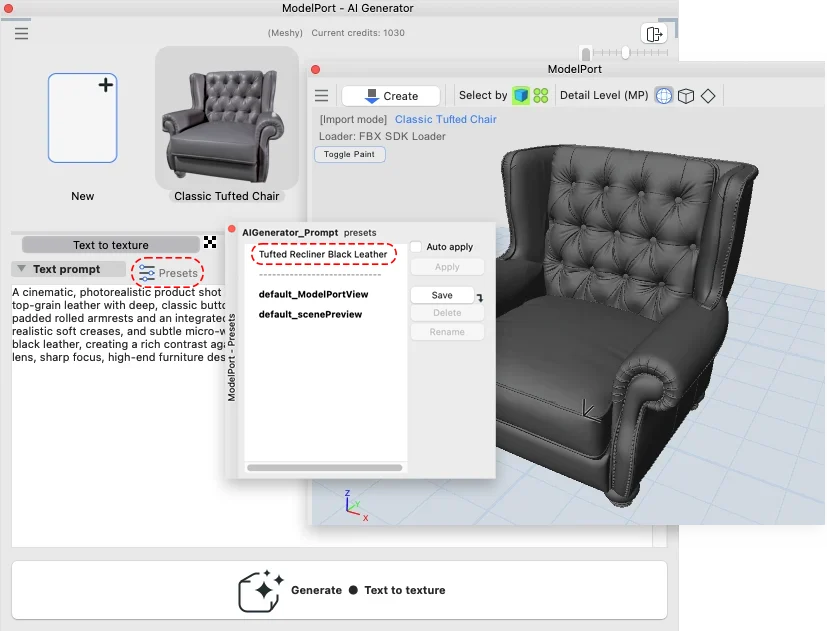 The process for prompts has been improved including...
- Save Presets for text prompts.
- Additional text prompt types for negative or texture prompt.
- User can add type tags to the prompt images.
AI Rendering
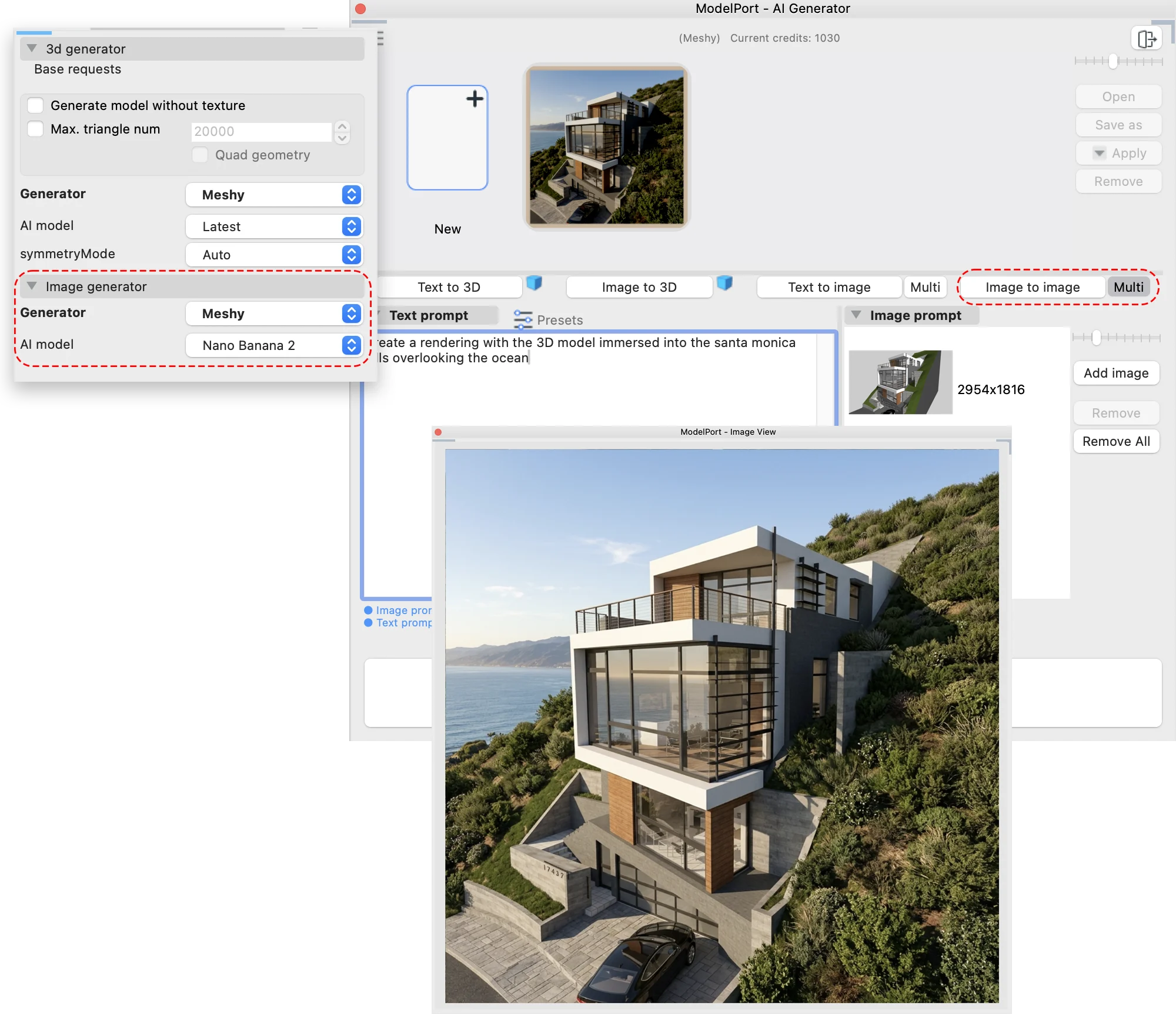 In addition to generating 3D Models you can now generate images from text or from other images. Select from one of the four AI engine options Meshy offers for generating images:
- Nano Banana
- Nano Banana 2
- Nano Banana Pro
- GPT IMage 2
WORKFLOW IMPROVEMENTS
Manage image assets & productivity updates
Open Texture in Viewer
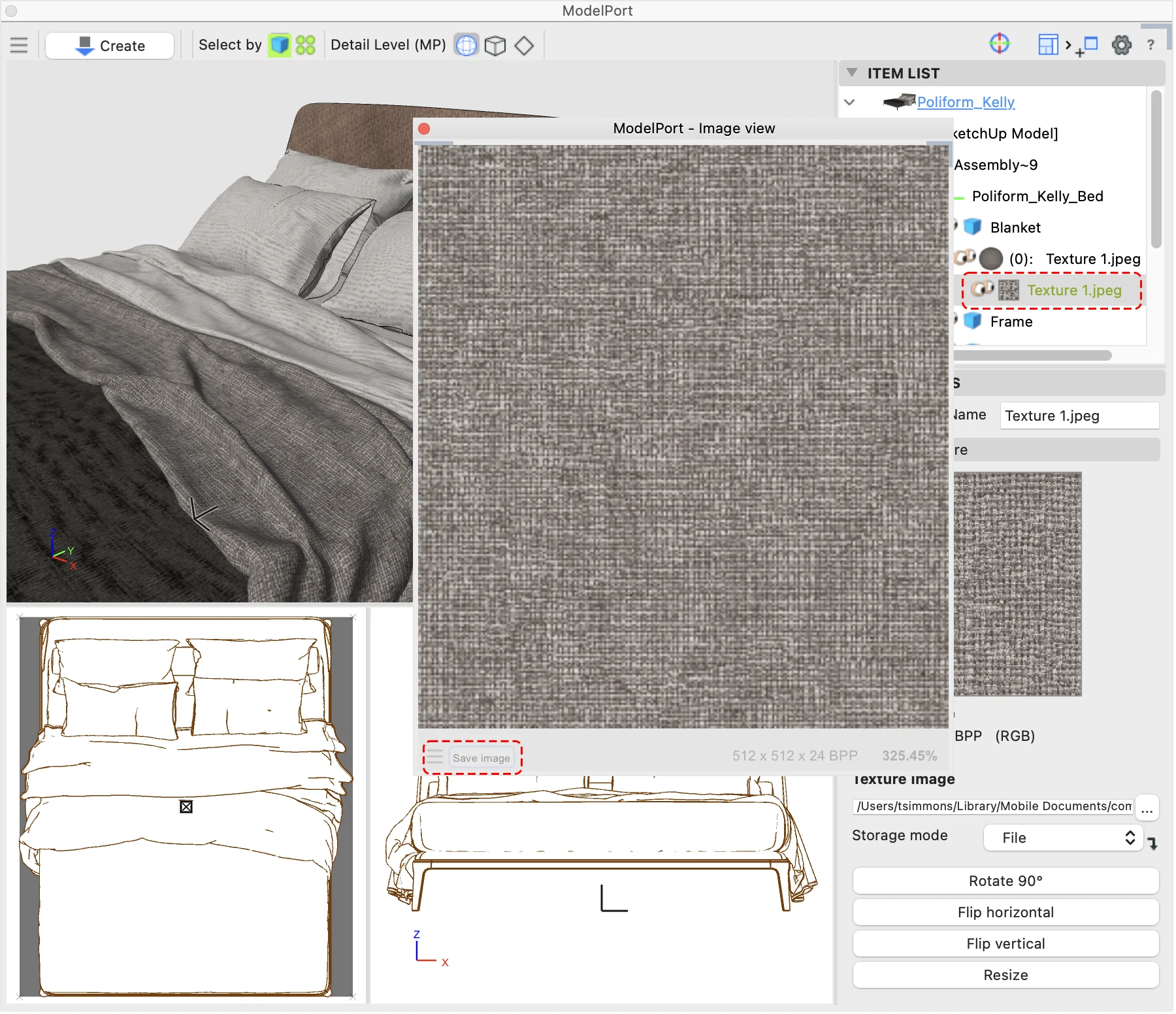 We added an option to open the texture in the image viewer by clicking on the texture thumbnail or double clicking the texture in the 'Item list'.
With the new Image Viewer ModelPort can handle multi-images and save textures in png or jpeg formats.
Edit Textures
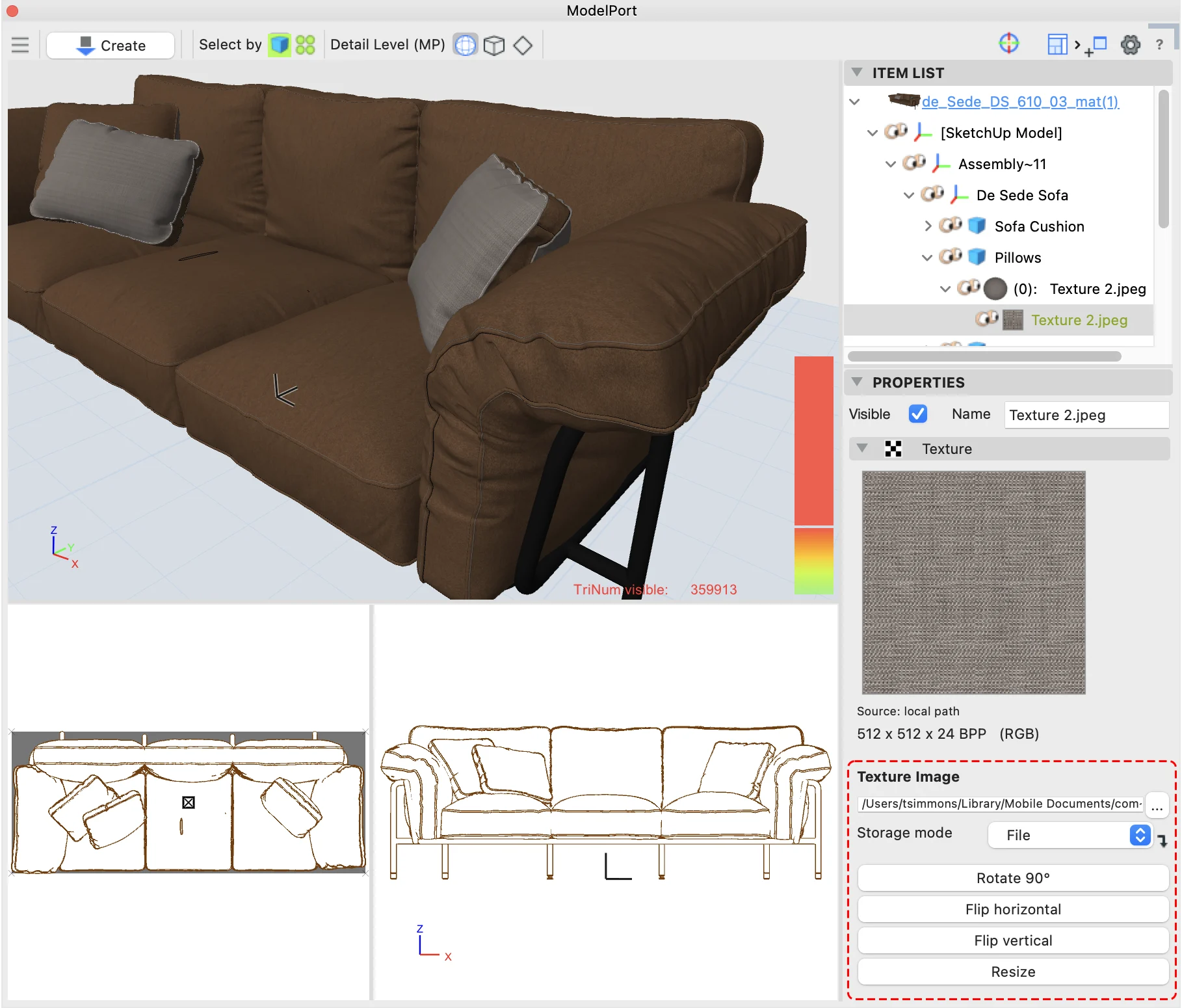 New options have been to Properties for texture handling allowing you to set the following...
- Texture Location
- Storage Mode
- File
- Embedded
- Edit Options
- Rotate
- Flip horizontal
- Flip vertical
- Resize
Embed as you Create
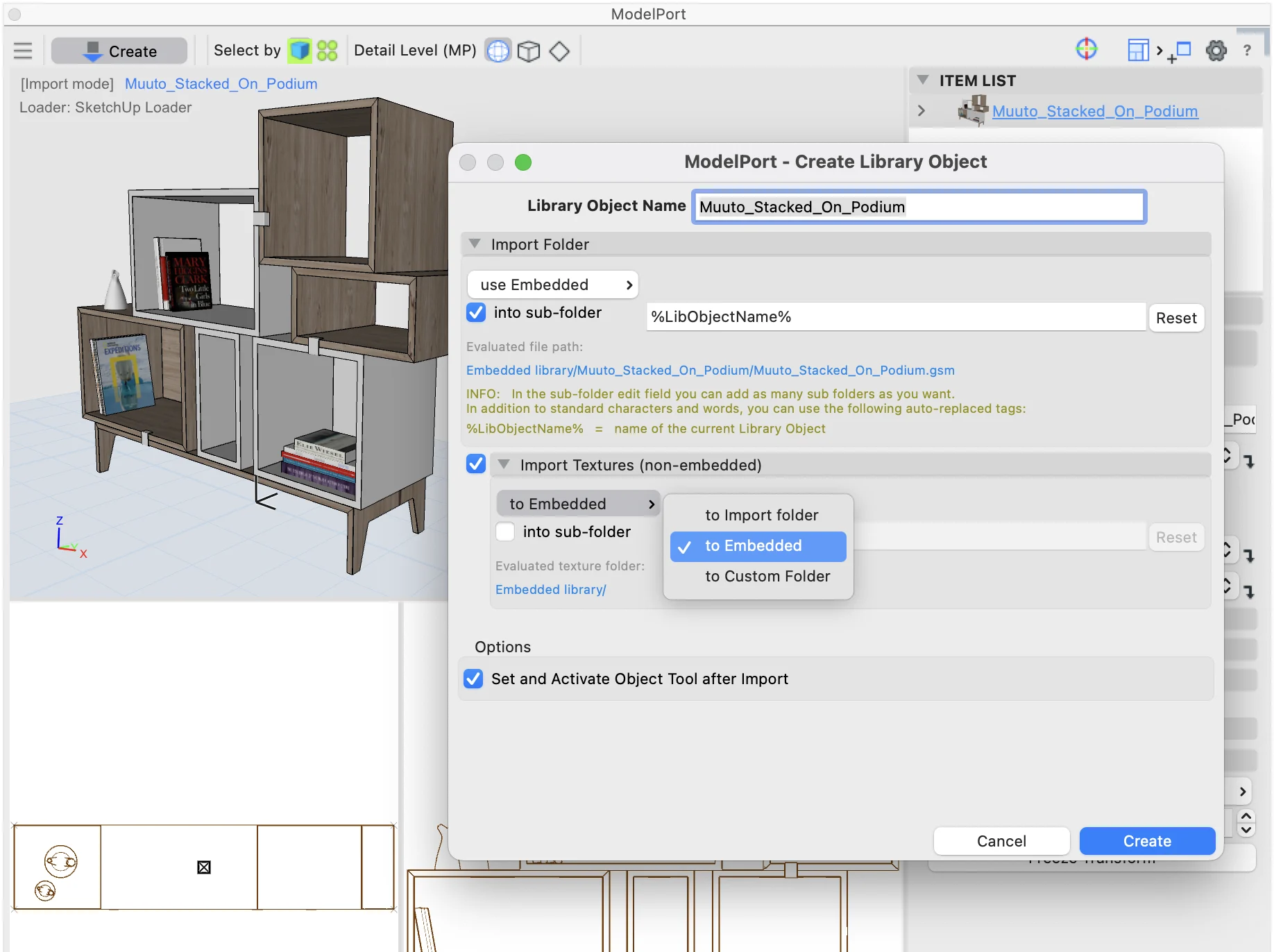 Now you can embed textures directly into the GDL object. This is an excellent way to package all required assets into a single, self‑contained library part.
Dark Mode
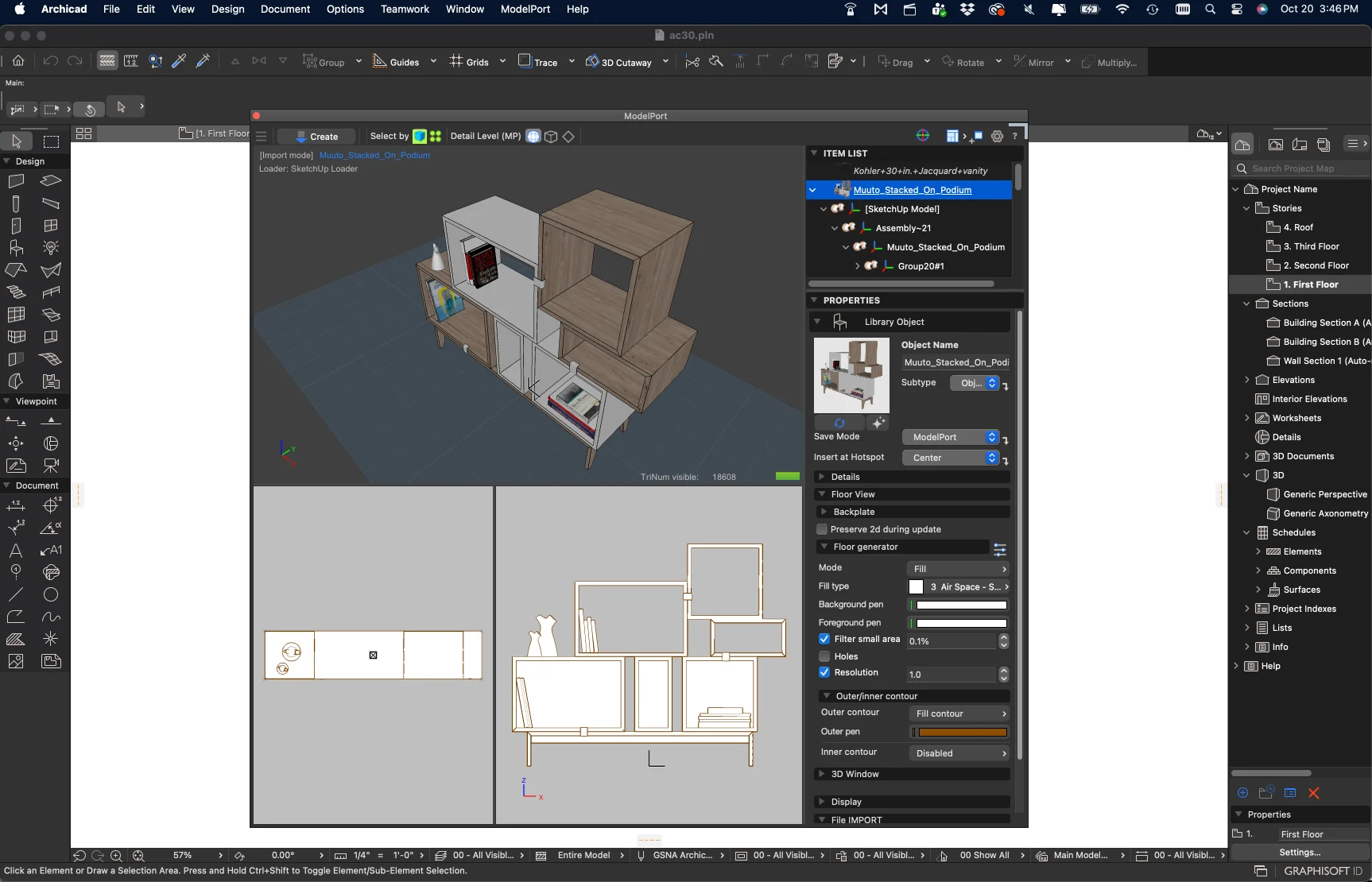 We're excited to announce that we now support Dark Mode on Mac and Windows that delivers an immersive, high-contrast digital environment that reduces eye strain, boosts battery efficiency, and keeps your creative work front and center.
 Archicad 30 Support
We now support Graphisoft's latest version of Archicad as well as past versions. ModelPort supports Archicad 21 to Archicad 30.